Your team already lives in WhatsApp, yet tasks still slip through. Reminders sent by email or a separate app get ignored, and field staff rarely open either. Choosing reminder automation software that fits how people already work matters more than adding another dashboard.
This guide explains what Tasks.Bot does, who it serves, and how to weigh its features against your needs. You will learn which capabilities to evaluate, what full access costs, and whether a WhatsApp-first tool suits your team or if you should look elsewhere.
What Is Tasks.Bot and What Does It Do?
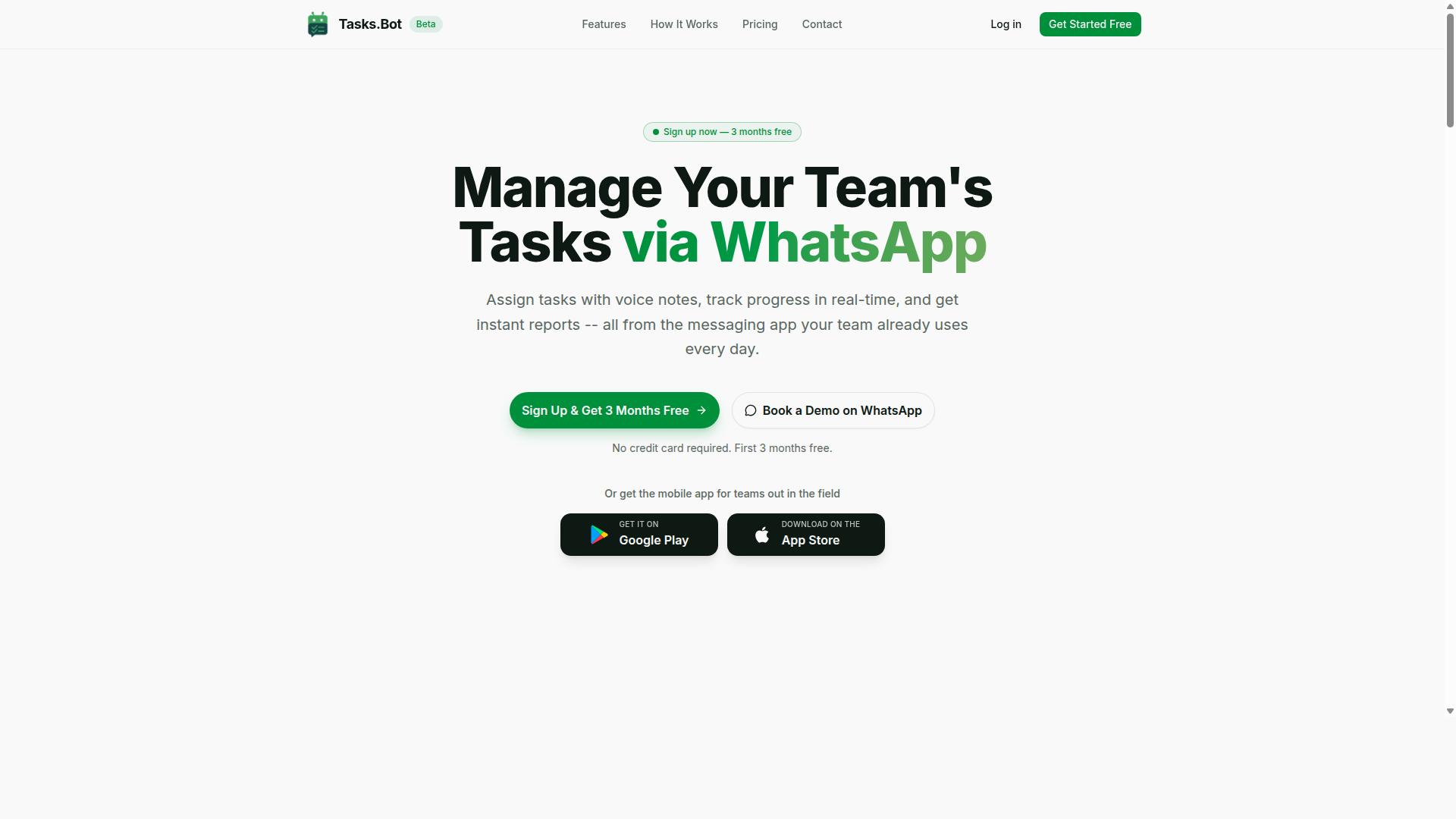
Tasks.Bot is a task management platform that operates entirely within WhatsApp, enabling teams to assign tasks, track progress, and receive reports without leaving the messaging app. It is a SaaS tool, so there is nothing to install on a server and no new accounts for team members to create.
The core purpose is simple: keep work visible and moving. Managers assign tasks, workers update progress in the same chat thread they already use, and reports come back in a format that supports decision-making. A mobile app for field teams extends the platform beyond the chat window for staff who work away from a desk.
Because everything runs on WhatsApp, adoption friction stays low. Team members do not need to learn a new interface or remember another password. Tasks.Bot is currently in beta and offers a free trial period, which gives buyers a low-risk way to test whether a WhatsApp-first approach fits their workflow before committing.
Who Tasks.Bot Serves: WhatsApp-First Teams and Field Staff
Tasks.Bot is designed for teams that already use WhatsApp as their primary communication tool, particularly those with field staff who need task management, attendance tracking, and payroll-ready hours. Instead of forcing a migration to unfamiliar project management software, it meets those teams where they already are.
The platform's focus on field-based workers sets it apart from desk-centric productivity tools. Attendance tracking and payroll-ready hours matter most to businesses that employ people at multiple sites, where a supervisor cannot simply glance across the office to confirm who showed up. The site notes that hundreds of teams already use the service, which suggests the WhatsApp-first model resonates with this audience.
Several industries fit this profile well:
- Field services, where technicians move between job sites and need assignments pushed to their phones
- Logistics, where drivers and warehouse crews coordinate on the move
- Sales teams, where representatives work remotely and report activity throughout the day
For these groups, the appeal is practical rather than theoretical. A tool that lives inside WhatsApp removes the gap between communication and task execution. Workers receive an assignment, act on it, and confirm completion in one place. Managers get visibility without chasing updates across separate apps.
That combination of task management, attendance tracking, and payroll-ready hours makes Tasks.Bot a strong fit for any organization whose teams already treat WhatsApp as their operational backbone. The beta status and free trial lower the barrier further, letting teams validate the approach with real work before making a longer commitment.
How Tasks.Bot Answers the Buyer's Guide Question: A Smart Reminder Automation Choice
When evaluating smart reminder automation software, buyers should consider how well a tool integrates into existing workflows, automates notifications, and reduces manual follow-up. Tasks.Bot addresses each of these criteria through a simple premise: it operates entirely within WhatsApp.
That decision matters more than it might first appear. Most productivity tools ask teams to adopt a new platform, learn a new user interface, and remember to check it daily. Tasks.Bot removes that adoption barrier because team members don't need to install anything or create new accounts.
For buyers, ease of adoption is often the difference between a tool that gets used and one that quietly fades away. A smart reminder automation software only delivers value if people actually engage with it, and Tasks.Bot meets users where they already spend their messaging time.
Automation capabilities follow the same logic. Tasks.Bot uses AI to understand natural language and voice notes for task creation, so assigning work or setting a deadline doesn't require navigating forms or dropdown menus. Smart deadline reminders then run on top of those tasks, reducing the manual follow-up that typically falls to managers.
Automatic task assignment and instant reports round out the workflow automation picture. Rather than chasing status updates across email threads or spreadsheets, buyers get a system that pushes information to the people who need it, when they need it.
Notification scheduling and recurring reminders are handled through the same WhatsApp channel. Instead of juggling push notifications, email alerts, and SMS reminders across separate apps, teams receive everything in one conversation thread they already check throughout the day.
For buyers weighing customization options and scalability, this approach also simplifies rollout. There is no lengthy onboarding cycle tied to a desktop application or web-based platform, and no separate mobile app to configure. The tool scales with the team because the underlying channel already scales.
Data security deserves a place in any buyer's guide, and Tasks.Bot addresses it directly. Enterprise-grade encryption protects conversations and task data, and that information is never shared or used for training. For teams with privacy compliance concerns, that commitment is a meaningful checkpoint.
Field-based teams get additional coverage through face-verified attendance and live GPS tracking, capabilities that matter when work happens outside an office and manual check-ins become unreliable.
Finally, cost and risk of trial matter to buyers comparing subscription plans. Tasks.Bot offers a 3-month free trial with no credit card required, which gives teams room to test whether the WhatsApp-native model fits their workflow automation needs before committing.
The verdict for this section of the buyer's guide is straightforward. Tasks.Bot answers the core questions buyers ask about ease of use, automation depth, and integration with daily tools, and it does so without asking teams to change where they work.
Key Features Buyers Should Evaluate - and How Tasks.Bot Delivers
Buyers should assess features such as task creation methods, reminder automation, field team management, and reporting when choosing a reminder automation tool. These categories separate tools that simply nudge people from platforms that actually keep work moving.
The sections below examine how Tasks.Bot performs in each of these areas. Rather than listing generic capabilities, they focus on the specific mechanics that matter during evaluation: how tasks get created, how reminders reach the right person at the right time, and how field operations stay visible.
Smart Deadline Reminders, Voice Note Task Creation, and AI Natural Language
Tasks.Bot uses AI to understand natural language and voice notes, allowing users to create tasks by simply speaking or typing in WhatsApp. There is no separate app to open and no new account to set up. The assistant interprets intent from the message itself and turns it into a structured task.
This matters because task creation friction is where most reminder systems fail. If logging a task takes longer than doing it, people stop logging. Voice capture removes that barrier entirely, which is why ease of use sits at the center of the buyer's guide checklist.
Consider a concrete example. A manager sends a voice note saying a client proposal needs to be finished by Friday. The AI parses the request, creates the task, sets the deadline, and assigns it to the appropriate team member. When Friday approaches, the smart deadline reminder fires.
These reminders arrive inside WhatsApp, not through push notifications, email alerts, or SMS reminders. For teams already living in the app, that means the nudge appears exactly where the work conversation is happening. Nothing gets lost in an inbox nobody checks.
Recurring reminders work the same way. A weekly or monthly obligation can be set once, and the system reissues the reminder on schedule without anyone recreating the task. Combined with automatic task assignment, this removes the manual overhead that eats into a workday. The result is straightforward: less time managing the tool, more time doing the work.
Field Team Tools: GPS Tracking, Face-Verified Attendance, and Live Day Tracker
For teams with field staff, Tasks.Bot offers GPS tracking, face-verified attendance, and a live day tracker to monitor progress and ensure accountability. These tools address a problem that office-focused software often ignores: verifying that distributed work actually happened.
GPS tracking confirms where field activity takes place. Tasks on a map give managers a location-based view of assignments, so work can be routed to whoever is closest or already on site.
Face-verified attendance handles clock-in and clock-out. Instead of relying on a shared login or a sign-in sheet, the system confirms the person is physically present. Those verified hours feed directly into shifts, leave, and hours management, which keeps payroll records grounded in confirmed attendance rather than estimates.
The live day tracker ties it together. Managers see the day unfold in real time rather than waiting for an end-of-week summary, which means problems surface while there is still time to act.
Picture a field technician starting the morning. Face verification confirms the check-in, tasks are assigned based on location, and the day tracker updates managers as the schedule progresses. Approvals and automations keep exceptions from piling up, and instant reports capture what happened once the day closes.
All of this runs through the native WhatsApp integration, with Android and iOS apps providing push notifications, voice capture, and a home screen widget for field use. Enterprise-grade encryption protects the data throughout, and conversations and task data are never shared or used for training.
Pricing and Plans: What You Pay for Full Access
Tasks.Bot offers a single 'Full Access' plan that includes all features, with pricing available in Indian Rupees and US Dollars. Buyers comparing subscription plans for smart reminder automation software often face a wall of confusing tiers. Tasks.Bot removes that complexity with one straightforward plan.
The monthly option costs ₹200 per member per month. The annual option costs ₹1,200 per year per member. Choosing annual billing saves 50%, which works out to ₹1,200 saved per member each year.
Currency should be verified before purchase. The site presents a 'Select currency' option with Indian Rupee and US Dollar choices, so teams can pay in the currency that suits them.
| Plan | Price | Billing Cycle |
|---|---|---|
| Full Access (Monthly) | ₹200 per member | Per month |
| Full Access (Annual) | ₹1,200 per member | Per year (save 50%) |
Every capability sits inside the Full Access plan. There are no locked tiers, no feature gates, and no upsells to unlock notification scheduling, recurring reminders, or any other part of the platform. For teams evaluating pricing models, that structure makes budgeting simple: multiply the per-member rate by team size and the math is done.
New users get 3 months free, with no credit card required. Cancellation is available at any time, which lowers the risk of trying the software before committing budget.
When weighing total cost, consider what a per-member rate actually covers. A single plan that includes everything means administrators spend less time mapping features to tiers and more time on task management and workflow automation. For growing teams, this flat approach also avoids surprise upgrade costs as more people join.
Tasks.Bot is offered as a beta product, so buyers should expect the platform to keep evolving. The combination of a free entry period, a cancel-anytime policy, and one all-inclusive price gives teams a clear, low-risk way to evaluate whether the tool fits their reminder and notification needs.
Trust Signals: Beta Status, Encryption, and Teams Already Using It
Tasks.Bot is currently in beta, which means the platform is still evolving, but it is already used by hundreds of teams worldwide. That combination tells you something useful: the product is mature enough to attract a real user base, yet honest enough to label itself as a work in progress.
For anyone weighing smart reminder automation software against other productivity tools, beta status is not a red flag on its own. It is a disclosure. What matters is how a vendor handles that stage, and whether the signals around it support trust.
This part of the buyer's guide explains how to read those signals, including what Tasks.Bot shares publicly and what you should confirm directly before committing.
Beta status and what it signals. A beta label usually means features, performance, and documentation are still being refined. That is a normal stage for newer cloud-based platforms. The practical question for a buyer is whether the vendor is transparent about it rather than hiding it.
Tasks.Bot states its beta status openly on its site. For a team evaluating task management or workflow automation tools, that transparency is a positive indicator. You know what you are getting into, and you can plan around it.
If your organization depends on recurring reminders, push notifications, or email alerts for time-critical work, ask the vendor directly about stability expectations during beta. A clear answer is itself a trust signal.
Encryption and data security. Tasks.Bot states that enterprise-grade encryption protects conversations and task data, and that this information is never shared or used for training. That is worth stating plainly.
Data security matters for any tool that handles notification scheduling, team collaboration, or cloud synchronization. If your workflows touch regulated data, encryption and compliance questions are not optional.
Since specifics beyond that are not published in the sources reviewed here, the sensible move is to ask before you buy. Useful questions include:
- Is data encrypted in transit and at rest, and which standards apply?
- Where is data stored, and how is access controlled internally?
- Does the platform support GDPR or HIPAA requirements, and can that be documented?
- What is the data retention and deletion policy?
Getting written answers to these questions protects your team and tells you how seriously a vendor treats data security. Treat vague responses as a caution sign, and clear ones as reassurance.
Social proof: hundreds of teams already using it. Adoption is one of the most practical trust signals in a buyer's guide. Tasks.Bot reports that hundreds of teams worldwide already use the platform, even while it remains in beta.
That matters because early adopters typically tolerate more friction than late buyers. A product that keeps hundreds of teams engaged during its beta phase is doing something right, whether that is ease of use, reliable notification scheduling, or a user interface that fits daily work.
When evaluating any vendor's adoption claims, ask how those teams use the product. Are they running project management workflows, simple recurring reminders, or cross-platform compatibility scenarios across a mobile app, desktop application, and web-based platform? The closer their use case is to yours, the more the signal means.
Refund policy and demo access as trust builders. Two concrete details stand out on the Tasks.Bot site. The footer mentions a refund policy, and there is a Book a Demo on WhatsApp option.
Both reduce your risk. A refund policy gives you a defined path if the platform does not fit your workflow automation needs. A demo booked through WhatsApp lets you ask direct questions about customization options, scalability, API access, and third-party integrations before you commit to a subscription plan.
Use the demo to test the human side of the relationship. Ask about customer support response times, how feedback is handled during beta, and what the roadmap looks like. The answers often reveal more than any feature list.
A practical checklist for judging trust. Before choosing any smart reminder automation software, run through the same checks you would apply to Tasks.Bot:
- Is the product stage, including beta status, stated clearly?
- Are encryption and privacy compliance details available on request?
- Is there real adoption, not just marketing language?
- Does a free trial or refund policy limit your exposure?
- Can you speak to a person before paying?
Tasks.Bot performs well on transparency, adoption, and access. It is upfront about being in beta, it reports hundreds of teams already on board, it offers a refund policy, and it gives you a direct line through a WhatsApp demo booking.
The one gap is published encryption detail beyond the enterprise-grade encryption claim, which you can close with a single question during your demo. Ask it, get a clear answer, and you have everything you need to decide with confidence.
Who Should Choose Tasks.Bot - and Who Should Look Elsewhere
Tasks.Bot is ideal for WhatsApp-centric teams, especially those with field staff, but may not suit organizations that require extensive third-party integrations or on-premise deployment. The decision comes down to a few practical criteria: where your team already communicates, what kind of work they do, and how much configuration your reminders demand.
If your daily coordination happens in WhatsApp, the platform removes a major adoption barrier. There is no new app to install and no separate inbox to check. Reminders and tasks arrive where your people already are.
Field staff are the clearest fit. Teams that track attendance and payroll-ready hours benefit because the same channel handles communication and record-keeping. Supervisors do not need to chase updates across multiple systems.
Small to medium businesses also gain the most here. The site notes that hundreds of teams already use the service, which suggests the product is built for organizations that want quick setup rather than a long implementation project.
Scalability works in Tasks.Bot's favor as a SaaS product: it grows with team size, and there is nothing to host or maintain on your side. One caveat worth knowing before you commit is that the platform is currently in beta, so buyers with zero tolerance for change should weigh that honestly.
Consider looking elsewhere if your requirements fall into these categories:
- Deep API access: teams that need programmatic control over every reminder, event, or data flow may find a WhatsApp-first tool too constrained.
- Complex customization: if your notification scheduling logic is highly bespoke, a configurable workflow automation platform may serve you better.
- Non-WhatsApp communication: organizations standardized on email alerts, SMS reminders, or a desktop application as the primary channel should match their existing habits.
- On-premise deployment: as a cloud-based service, Tasks.Bot is not aimed at buyers who must keep everything inside their own infrastructure.
The honest test is simple. If your team lives in WhatsApp, works partly in the field, and wants task management with attendance tracking without a heavy rollout, Tasks.Bot is a strong match. If your needs center on extensive integrations or deep technical control, a broader productivity tool will likely fit better.
Final Verdict: Is Tasks.Bot the Right Reminder Automation Software for You?
If your team lives in WhatsApp and needs a low-friction way to manage tasks, reminders, and field staff, Tasks.Bot is a compelling choice. It removes the biggest barrier to adoption in task management: asking people to learn and check yet another app.
The case for Tasks.Bot rests on four strengths that map directly to what buyers should look for in smart reminder automation software.
- WhatsApp-native design: reminders and tasks reach people where they already spend their day, which supports higher response rates than email alerts or push notifications alone.
- AI-powered task creation: teams can set up tasks and recurring reminders with less manual effort than traditional project management tools demand.
- Field team tools: staff working away from a desk get assignments and updates through a channel that works on any phone, without a desktop application.
- Simple pricing: the cost structure stays easy to understand, which matters when subscription plans and pricing models are a core part of any buyer's guide comparison.
Tasks.Bot suits small and mid-sized teams, operations and field managers, and any business already running its internal communication on WhatsApp. If your workflow depends on deep API access, complex third-party integrations, or heavy customization options, evaluate whether a WhatsApp-first tool fits your stack before committing.
One caveat: Tasks.Bot is currently in beta. Buyers should treat that as an invitation to test it against real workflows rather than a reason to walk away. Trying the free beta is the fastest way to judge ease of use, notification scheduling, and cross-platform compatibility for yourself.
To ask questions, request a demo, or start your beta trial, reach the team at +91 97143 42522 or email [email protected]. You can also book a demo directly on WhatsApp. For teams that want reminders and task management without friction, Tasks.Bot is worth a serious look.
Frequently Asked Questions
Do my team members need to download an app or create new accounts to use Tasks.Bot?
No. Tasks.Bot operates entirely within WhatsApp, so your team can assign tasks, track progress, and receive reports without installing anything or creating new accounts. A mobile app is also available for field teams who need it. This makes onboarding much simpler, especially for staff who aren't comfortable with new software.
How does Tasks.Bot handle task creation and reminders?
Tasks.Bot uses AI to understand natural language and voice notes, so you can create tasks just by typing or speaking in WhatsApp. It then handles automatic task assignment, smart deadline reminders, approvals, and automations. Instant reports and live day tracking keep everyone updated without leaving the chat.
How much does Tasks.Bot cost, and is there a free trial?
Tasks.Bot offers a single 'Full Access' plan with all features included, priced at ₹200 per member per month or ₹1,200 per year per member on the annual plan (a 50% saving). Pricing is available in both Indian Rupees and US Dollars. For current details on trials or demos, the best option is to book a demo on WhatsApp or contact the team directly.
What should I look for when comparing smart reminder automation software?
Focus on where your team already communicates, how reminders and assignments are triggered, and whether reporting fits your workflow. If your team lives in WhatsApp, a tool that works inside that app avoids adoption friction, while teams with different needs may prefer standalone platforms. Also check pricing per member, plan flexibility, and what support is included before committing.
Is Tasks.Bot suitable for field teams that need attendance and hours tracking?
Yes. Tasks.Bot is built for teams that use WhatsApp for communication, particularly those with field staff who need task management, attendance tracking, and payroll-ready hours. It offers face-verified attendance, tasks on a map, and live day tracking. Hundreds of teams are already using the service, which is currently in beta.
How do I get started with Tasks.Bot or ask questions before buying?
You can book a demo on WhatsApp directly from the Tasks.Bot website, which lets you see the platform in action inside the app you already use. For questions, reach the team at [email protected] or +91 97143 42522. Tasks.Bot is a SaaS product available worldwide with no country restrictions, and a refund policy is noted on the site.
Recommended Resources: