
Geo-targeting is the deciding factor in this comparison. If your campaign sends clicks from the wrong country, state, or city, the search engine reads those visits as noise, and your keyword position barely moves.
This article compares CTR.bot and CTRTool on location controls, coverage across Google Search, Bing, Maps and AI Overviews, and the proof behind each geo-targeted visit. You will get a clear verdict on which tool fits your campaign, plus the pricing and feature specifics to back that choice.
Quick Verdict: CTR.bot vs CTRTool for Geo-Targeting
If geo-targeted CTR campaigns are your priority, CTRTool wins on proof and transparency, while CTR.bot appeals on price and proxy-network breadth, but only one gives you screenshot evidence for every visit. For agencies and SEOs who must show clients that a click-through rate campaign actually landed where it claimed, CTRTool is the stronger pick.
The core difference sits in verification. CTRTool provides search and landing screenshots as separate proof images for each visit, plus full visit paths and keyword position tracking over time. That matters when geolocation targeting is the whole point of a campaign and a client wants to see the result, not just a dashboard number.
CTR.bot, by contrast, is generally positioned around proxy-network access and budget-friendly entry. Public information about its location controls and proof outputs is thinner, so treat claims about its precision with caution. If your workflow depends on documented evidence, the gap is significant.
| Feature | CTRTool | CTR.bot |
|---|---|---|
| Location controls | Country, state, and city targeting, with visits that cannot verify the requested location using no credits | Geo-targeting generally advertised; specific levels of control vary and should be confirmed |
| Supported engines | Google and Bing search, Maps listing order tracking, and AI citation order tracking | Search engine simulation typically offered; exact engine list is not clearly documented |
| Proof type | Screenshot proof for every visit, with search and landing screenshots as separate images, plus full visit paths and position tracking over time | Reporting options are generally lighter; screenshot-level proof is not widely described |
| Device choice | Per-campaign choice of Desktop or Mobile | Device and user-agent options generally available; per-campaign control should be verified |
| Pricing model | Pay-for-results credits, no credits charged for technical failures before landing, one shared balance across campaigns, unused credits roll over while subscribed | Typically subscription or credit based; check current pricing directly |
Two details stand out as differentiators. First, screenshot proof for every visit turns a geo-targeting claim into something you can hand to a client. Second, the per-campaign Desktop or Mobile choice lets you match device targeting to the query and audience you are testing.
The credit model reinforces the geo-targeting story. Visits that cannot verify the requested location use no credits, so failed regional targeting does not quietly drain your budget. A single credit balance also covers all campaign types, websites, and keywords, up to 100 campaigns with 100 keywords each.
- Agencies: choose CTRTool for verifiable geo-targeted visits, screenshot evidence, and position tracking you can report on.
- SEOs testing regional rankings: choose CTRTool for country, state, and city targeting with proof per visit.
- Budget-focused experimenters: CTR.bot may suit early proxy-network trials, provided you confirm its location controls and reporting first.
At a glance: how CTRTool compares to CTR.bot on the features that matter most.
| Feature | CTRTool | CTR.bot |
|---|---|---|
| Pricing | $59-$699/mo | — |
| Free plan / trial | ✗ | — |
| Supported platforms | Google, Bing, Maps, AI | — |
| Screenshot / visit proof | ✓ | — |
| Location targeting | Country/state/city | — |
| Keyword tracking | ✓ | — |
| Pay-per-result credits | ✓ | — |
| Documented integrations | — | — |
What Is CTRTool?
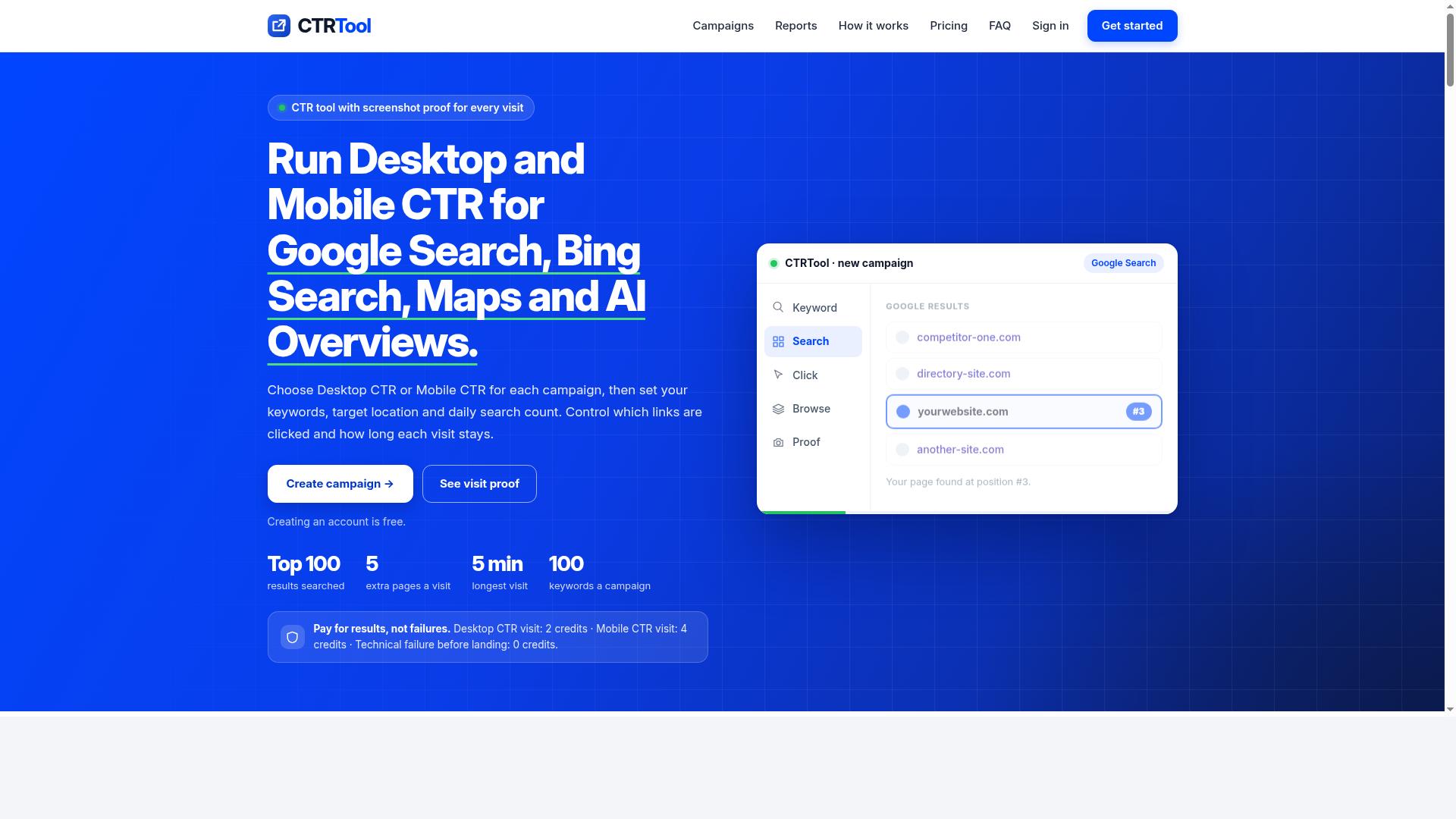
CTRTool is a CTR campaign tool that runs Desktop and Mobile CTR campaigns for Google Search, Bing Search, Maps and AI Overviews, with screenshot proof for every visit. Its positioning is simple: a CTR tool with screenshot proof for every visit. For anyone running geo-targeted campaigns, that emphasis on evidence is the defining feature.
Setup follows a clear sequence. Users choose Desktop CTR or Mobile CTR per campaign, then set the keyword, target location and daily search count. They also control which links are clicked and how long each visit stays, which keeps device targeting, geolocation targeting and session duration under deliberate control rather than left to chance.
Proof arrives as separate images. Each visit produces a search screenshot and a landing screenshot, so an agency can show a client exactly what happened on the SERP and on the page. That matters in a space where click bots and proxy networks are hard to audit from the outside.
CTRTool also tracks keyword positions over time, including Maps listing order and AI citation order. Those extra surfaces matter because regional targeting increasingly plays out in local packs and AI answers, not just in the classic list of blue links.
The audience is SEO practitioners and agencies running campaigns for their own sites or for client properties. The site is candid about limits, stating plainly that automated visits do not guarantee rankings, which sets realistic expectations for any campaign built on click-through rate signals.
Why does proof carry so much weight for geo-targeted work? A campaign aimed at city-level or regional targeting is only as good as its delivery. Without verifiable evidence of where a visit came from and what the searcher saw, a report is just a claim. Screenshot proof turns that claim into something a stakeholder can review.
What Is CTR.bot?
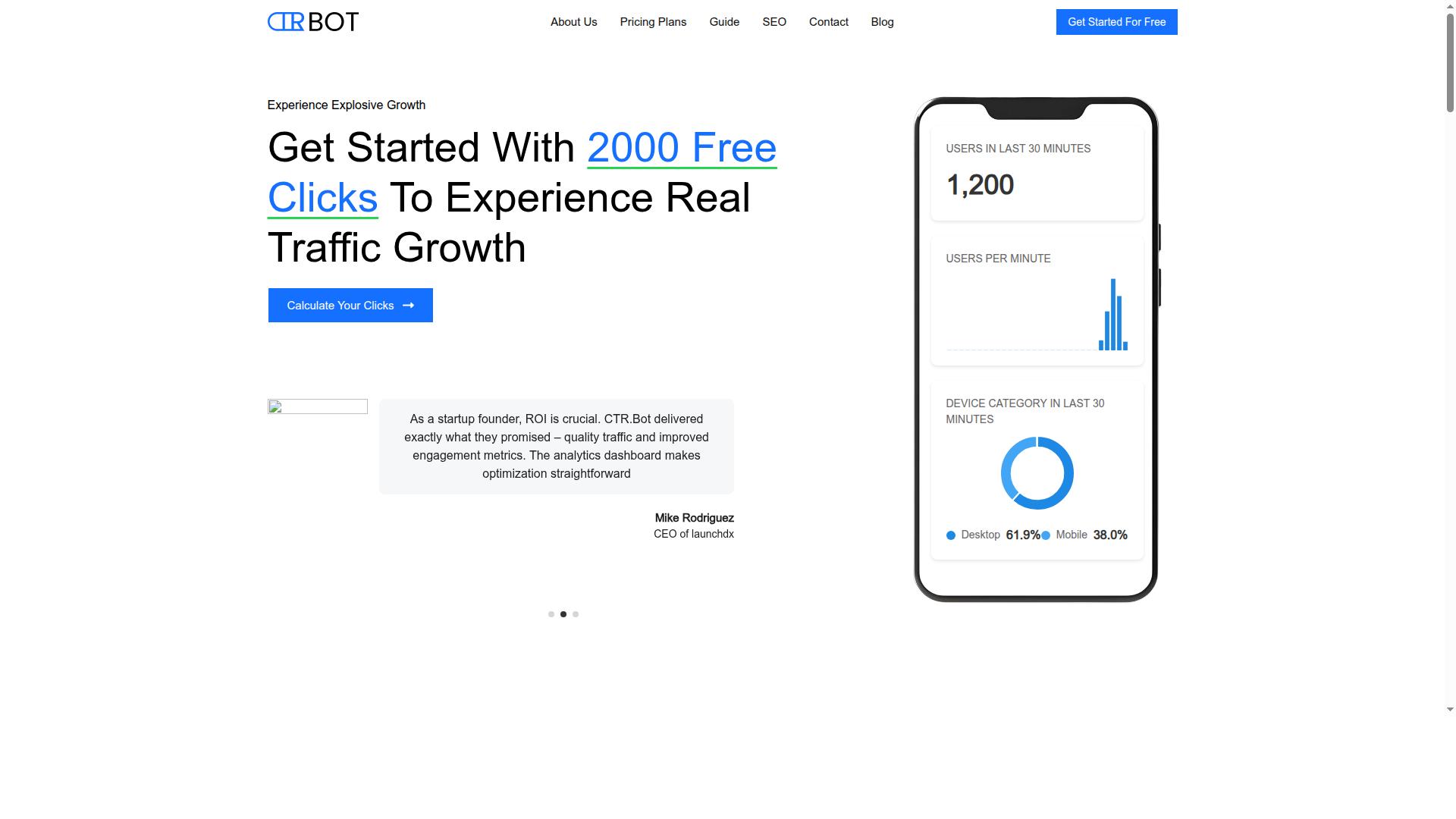
CTR.bot is a CTR manipulation service that uses click bots and proxy networks, often residential and datacenter proxies with IP rotation, to simulate search clicks and influence SERP rankings. It belongs to a category of automated tools built to send scripted visits to pages and keywords.
The core idea behind any click bot is simple. Instead of waiting for real users to find a page, software generates the clicks. This inflates click-through rate signals that search engines may read as signs of relevance.
CTR.bot typically offers a dashboard where users set keywords, target pages, and choose how clicks are delivered. Exact limits and plan details vary, so treat any specific figure you see online with caution.
The service commonly includes features designed to make automated clicks look human. These generally fall into a few familiar categories:
- IP rotation, which spreads clicks across many addresses so no single source looks suspicious
- User-agent spoofing, which presents each bot as a different browser or device
- Referrer spoofing, which fakes where a visitor arrived from
- Session controls, which shape dwell time and on-page behavior
These techniques aim to mimic organic behavior. Whether they succeed depends heavily on the quality of the underlying proxy pool.
Proxies are the backbone of any click bot, and the type matters. Residential proxies route traffic through real consumer internet connections, so they look like ordinary households. Datacenter proxies come from server farms and are cheaper and faster but easier to flag.
Search engines increasingly scrutinize traffic patterns. A flood of clicks from known data-center ranges can stand out. Residential addresses blend in better, which is why many CTR manipulation tools lean on them, though quality and consistency vary by provider.
For anyone researching these tools, the takeaway is that proxy sourcing and rotation logic sit at the heart of the product. Geo-targeting builds on that same foundation, since matching clicks to a location depends on having addresses in the right places.
Geo-Targeting Features Compared
Geo-targeting is where the two tools diverge most: CTRTool exposes country, state, and city controls per campaign with proof of each visit, while CTR.bot's location controls are less transparent in public materials. In CTR manipulation terms, geo-targeting means matching click locations to a campaign's target market so that click-through rate signals land where local SERP rankings are decided.
This comparison looks at three dimensions: location controls, engine coverage, and proof and tracking. Each gets its own detailed breakdown below, with CTRTool's verified capabilities set against what CTR.bot publicly advertises.
Location Controls: Country, State and City Targeting
CTRTool lets you target a chosen country with optional state and city refinement, or select "Any country" to mix supported locations. That gives agencies precise control for local SEO campaigns, and no country restrictions are stated for the service.
The practical value shows up in local search. A plumber in Texas who wants clicks to resemble city-level searches can set the state and city rather than scattering activity across the whole country. An agency running country-level campaigns for a client in the UK can hold the targeting at country level and let the mix do the rest.
CTRTool matches delivery to the target location through managed proxy routes, using Desktop Chrome windows and real Android phone sessions. Visits that cannot verify the requested location use no credits, which keeps spend tied to the geography you actually asked for.
CTR.bot advertises location targeting through proxy geolocation, but its public materials do not clearly document state or city granularity. Treat that as an open question rather than a confirmed capability.
Questions worth asking any vendor about location precision:
- Can you target a city, or only a country?
- Does the tool support language targeting alongside location?
- What happens to credits when the requested location cannot be verified?
- How are proxy locations matched to the campaign's target market?
Geo-Targeting Across Google Search, Bing, Maps and AI Overviews
CTRTool runs geo-targeted campaigns across Google Search, Bing Search, Google Maps, and AI Overviews, with per-campaign Desktop or Mobile selection. Search campaigns carry an eligibility rule: the page must appear within the top 100 organic results for the chosen keyword and location.
Google Search CTR and Bing Search CTR campaigns take a keyword and click the organic result, with search depth up to 100 and support for internal pages. Google Maps CTR campaigns find the business listing among up to 50 listings, roughly five pages of results, and click its website link. AI Overview campaigns require a matching citation, then click the source link.
| Engine | CTRTool | CTR.bot (general) |
|---|---|---|
| Google Search | Keyword plus organic result click, Desktop or Mobile, top 100 results, internal pages | Primarily targets Google search clicks |
| Bing Search | Same setup for Bing | Primarily targets Bing search clicks |
| Google Maps | Find business listing among up to 50 listings, click website link, city targeting | Maps support not clearly documented |
| AI Overviews | Find website in the overview, click source link, requires matching citation | Not clearly documented |
CTR.bot's coverage is generally described around Google and Bing search clicks. Its support for Maps listings or AI Overview citations is not clearly documented in public materials, so buyers should confirm rather than assume.
Proof and Tracking of Geo-Targeted Visits
CTRTool provides screenshot proof for every visit, with search and landing screenshots delivered as separate proof images, plus full visit paths and keyword position tracking over time. For geo-targeted work, that matters: clients and stakeholders want evidence that clicks came from the right location and behaved like organic visits.
Position tracking in CTRTool covers Search positions, Maps listing order, and AI citation order, so regional ranking movement can be reviewed against the location you targeted. Visits can run up to five minutes with up to five additional internal pages, which supports realistic session behavior rather than a quick bounce.
CTR.bot typically provides campaign reports with click counts and proxy locations. Independent screenshot-level proof is not clearly documented, so the depth of evidence behind each click is harder to verify from the outside.
A checklist for evaluating geo-targeted visit quality:
- Screenshot timestamps that line up with the reported campaign activity
- Location match between the proxy geolocation and the target market
- Session duration long enough to resemble a genuine reader
- Bounce rate that stays low across the campaign
- Dwell time consistent with the page's content length
On balance, CTRTool's proof stack gives regional campaigns a clearer audit trail, while CTR.bot's reporting appears lighter on verifiable per-visit evidence.
Pricing Compared
CTRTool publishes clear monthly USD plans, Starter at $59/month for 2,000 credits (up to 1,000 Desktop CTR visits or 500 Mobile CTR visits) and Growth at $125/month for 5,000 credits, while CTR.bot's public pricing is less transparent. That difference matters when you are budgeting a geo-targeting campaign across multiple regions.
CTRTool's full plan ladder is visible before you commit. The Growth plan is marked Recommended, and larger operations can move to Scale at $399/month for 20,000 credits or Agency at $699/month for 40,000 credits.
| Plan | Monthly Price | Credits | Desktop Visits | Mobile Visits |
|---|---|---|---|---|
| Starter | $59 | 2,000 | Up to 1,000 | Up to 500 |
| Growth (Recommended) | $125 | 5,000 | Up to 2,500 | Up to 1,250 |
| Scale | $399 | 20,000 | Up to 10,000 | Up to 5,000 |
| Agency | $699 | 40,000 | Up to 20,000 | Up to 10,000 |
The credit system is the part worth understanding before you compare headline prices. A Desktop CTR visit costs 2 credits and a Mobile CTR visit costs 4 credits, so the visit counts above already reflect the real spend.
Not every credit goes toward a completed visit. A verified search without a match costs 1 credit, and a technical failure before landing costs 0 credits, so you are not charged for a visit that never happened.
Unused credits roll over while your subscription stays active and expire when cancellation takes effect. Creating an account is free, and custom development is billed as a separate, agreed one-time fee.
CTR.bot is commonly marketed on a pay-per-click or subscription basis, but public materials do not list exact prices. That makes a line-by-line cost comparison difficult without contacting sales or running a trial.
For geo-targeting work, the practical question is cost per verified visit, not cost per credit. CTRTool's screenshot proof lets you confirm a visit actually landed in the targeted location, which changes how you should read any per-click figure a competitor quotes.
Plan limits and overages also deserve attention. With CTRTool, you can size a plan against your monthly desktop and mobile split in advance, for example a campaign weighted toward city-level targeting on mobile will consume credits roughly twice as fast as the same volume on desktop. Limited launch pricing is also flagged on the site, with prices rising 30% on November 15, so locking in current rates is worth considering.
Who Should Choose CTRTool
CTRTool fits SEO practitioners and agencies who need verifiable, geo-targeted CTR campaigns across Google Search, Bing Search, Maps, and AI Overviews, especially when clients demand proof of every visit. The platform is built for people running campaigns on their own sites or on client properties, where the outcome has to be shown, not just described.
That focus shapes who gets the most value. If your work depends on city-level or regional targeting and you need evidence to back up your reporting, CTRTool is the closer match. If you just want a quick burst of clicks with no paper trail, the tool is more than you need.
Agencies managing multiple client sites. An agency running campaigns for several clients needs each one kept separate and defensible. When a client asks what was delivered, the agency can point to campaign records rather than a verbal summary. The per-campaign Desktop or Mobile choice matters here too, because a client's audience may lean heavily toward one device, and mixing them inside a single campaign blurs the picture.
In-house SEOs targeting local markets. A local service business chasing city-level keywords, such as a plumber ranking for a specific metro, lives or dies on geographic accuracy. Country-level targeting is too blunt for that job. CTRTool's geo-targeting focus suits practitioners working at the state or city level, where the search result a user sees depends heavily on where they are searching from.
Teams running Maps or AI Overview campaigns. Position tracking and proof of placement carry real weight when a client wants to know whether a listing or citation is actually surfacing. A brand testing how its AI Overview citations behave benefits from campaigns that can be checked afterward rather than taken on trust. This is where the emphasis on verifiable visits earns its keep.
Two practical rules are worth knowing before you commit. Each campaign is set to Desktop or Mobile, so plan separate campaigns if you need both. And the top-100 eligibility rule means campaigns are aimed at keywords where the target already sits within the first hundred results, which keeps expectations realistic for newer or highly competitive terms.
In short, choose CTRTool when proof and position tracking are part of the job, not an afterthought. Teams that report to clients, defend local rankings, or monitor Maps and AI Overview visibility will find the fit natural.
Who Should Choose CTR.bot
CTR.bot may appeal to budget-conscious users or those experimenting with proxy-network-based click bots who do not require screenshot-level proof for every visit. For that audience, the draw is usually flexibility and a lower barrier to entry rather than documented verification.
This profile shows up in a few recognizable forms. Each one shares a common trait: a willingness to trade proof for experimentation.
- Solo marketers and experimenters who want to test CTR manipulation on a small scale before committing to a more structured tool.
- Proxy-focused users who care most about the breadth of residential and datacenter proxies, IP rotation behavior, and how many geolocations they can reach.
- Users comfortable with lighter reporting who plan to judge results through their own analytics rather than built-in verification.
CTR.bot commonly appeals to people who prioritize the size and spread of a proxy network over documented confirmation that each click actually landed. If your main question is "can I reach many locations cheaply," that framing may suit you.
For geo-targeting specifically, this is where expectations need care. Country-level targeting, city-level targeting, and language targeting all depend on clicks arriving from the right place with the right search engine simulation behind them. Without verifiable proof per visit, confirming that a click came from the intended region is harder.
That does not make the approach useless. It means you should treat results as directional rather than precise. Compare organic traffic and SERP ranking movement over time, and accept that separating real geo-targeted impact from noise takes more work.
At a high level, the contrast with CTRTool comes down to proof versus price and experimentation. CTRTool is built around documented campaign evidence, while CTR.bot leans toward low-cost testing and proxy breadth. Readers who need to show that a geo-targeted campaign actually ran where it claimed will find the proof-first approach easier to defend.
Final Verdict
For geo-targeting with accountability, CTRTool is the stronger pick: its screenshot proof for every visit, country/state/city controls, and support for Google Search, Bing Search, Maps, and AI Overviews give agencies defensible results. CTR.bot may appeal as a budget experiment, but publicly available information does not show documented, screenshot-level verification of individual visits. That gap matters most when a client asks where the clicks actually landed.
Location precision and multi-engine coverage reinforce the same conclusion. CTRTool's country, state, and city controls align a campaign with regional targeting goals, while coverage across Google Search, Bing Search, Maps, and AI Overviews keeps a campaign from being confined to a single surface. CTR.bot's geo-targeting options are not well documented in public sources, so any comparison there stays general.
The single most important differentiator is simple: screenshot proof for every visit. It turns a claim about geo-targeting into something an agency can show, which is the difference between a report and a receipt. Everything else in this comparison flows from that one point.
A sensible way to test a geo-targeted campaign is to begin with CTRTool's Starter plan at $59/month for 2,000 credits. If the results justify the spend, scale to Growth at $125/month. Questions can go to vaibhav@autoblogging.ai, and full details are available at https://ctrtool.com.
Frequently Asked Questions
What does geo-targeting actually mean in a CTR manipulation tool?
Geo-targeting lets you control where a campaign's visits appear to come from, so clicks on your keyword and result look like they originate from a relevant country, state or city rather than from anywhere at random. In CTRTool, you set a target location per campaign-a chosen country with an optional state and city, or "Any country" to use a mix of supported locations-and campaigns run globally with no stated country restrictions.
How does CTRTool handle location targeting compared to CTR.bot?
CTRTool lets you choose Desktop CTR or Mobile CTR per campaign, set your keywords, and target a specific country with an optional state and city for Google Search, Bing Search, Maps and AI Overviews campaigns. The available research on CTR.bot does not describe its own geo-targeting features or settings, so we can't make a feature-by-feature comparison of its location controls-only note that CTRTool's location options are documented and configurable per campaign.
Can I target a specific city or just a country?
Both. CTRTool campaigns can target a chosen country and optionally narrow to a state and city, or you can select "Any country" to draw from a mix of supported locations. This gives you flexibility whether you're running a local Maps campaign for one city or a broader national Search campaign.
Does geo-targeting affect whether my page can receive visits?
Yes-location matters for eligibility. CTRTool requires that your page appear within the top 100 organic results for the chosen keyword and location, Maps campaigns check up to 50 listings (about five pages), and AI Overview campaigns need a matching source link. Setting a realistic target location helps ensure your page qualifies for the campaign you're running.
How do I know visits actually came from my targeted location?
CTRTool provides screenshot proof for every visit, with search and landing screenshots as separate proof images, plus full visit paths and keyword position tracking over time-including Maps listing order and AI citation order. That documentation lets you verify campaign activity rather than relying on location settings alone.
Is geo-targeting priced differently, and what does CTRTool cost?
CTRTool uses monthly plans in USD: Starter at $59/month for 2,000 credits (up to 1,000 Desktop CTR visits or 500 Mobile CTR visits) and Growth at $125/month for 5,000 credits (up to 2,500 Desktop or 1,250 Mobile visits), with a pay-for-results credit model. Pricing for CTR.bot is not stated in the available sources, so we can't compare costs directly-check CTR.bot's own site for current pricing.